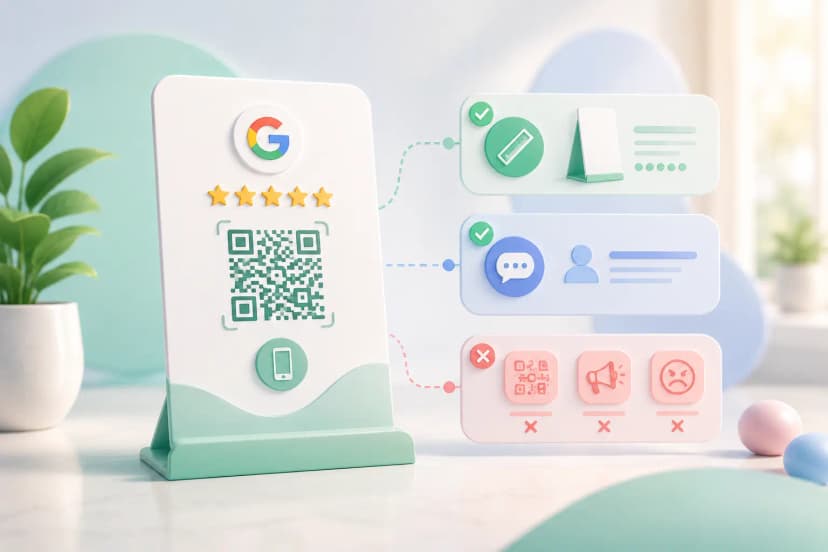


A Google review QR code poster works when three things are right: the code is big enough for the distance people stand at, it sits where customers already pause, and it says in plain words what scanning it does. Most posters fail on the second and third. The code scans fine; nobody looks at it.
This assumes you already have your review link. If not, start with setting up the review QR code and come back. This page is about the physical asset that goes on your counter.
The four things that matter
- Google gives you a free printable poster inside your Business Profile. Start there.
- Size the code to the scanning distance: 40 to 50 mm for a counter, 200 mm for a wall read from two metres.
- Put it next to the payment QR, angled at the customer. That is where the phone is already out.
- Paper proves the position; a standee is what still exists on day sixty.
Where can I get a free Google review QR code poster?
Google gives you one. Inside your Business Profile there is a marketing-materials section that produces a printable sheet with your review code already embedded, with no third-party tool and no cost. Beyond that, building a Google review QR code poster template yourself takes ten minutes: drop in the code image, add one instruction line, print on A5. Finding a Google review QR code template free to download takes a minute; what varies is whether it survives a counter. Your Google review link is the input for all of these.
The catch with paper: a printed sheet on an Indian shop counter lasts about three weeks before it is curled, tea-stained or buried under a bill book. Free is the right place to start, but plan for what replaces it.
What size should a Google review QR code poster be?
Size the code to the distance, and let the paper follow. The 10:1 rule applies: divide the scanning distance by ten for the minimum code width. At a billing counter people stand about 30 to 40 cm away, so a 30 to 40 mm code is the floor and 50 mm is comfortable. A wall poster read from two metres needs a 200 mm code, far bigger than most people expect, which is why wall posters get ignored. A5 paper is the practical size for a counter; A4 suits a wall or a pillar only if the code scales up with it. Bigger paper with a small code is the most common mistake. The QR code size guide has the full distance table.
Leave a clear white margin of roughly four modules around the code. A Google review QR code design that boxes the code in with a border or crowds it with text is the most common reason a scan hesitates. Any Google review QR code design template you start from is worth checking for that before it goes to print. The same rules decide what makes a review card actually get used.
- Print matte, never gloss. Overhead tube lights and phone torches bounce off a glossy laminate straight into the camera.
- Keep the code near-black on white. Mid-tone brand colours look fine on screen and fail under a shop's yellow lighting.
Where should I place a review QR poster in my shop?
At the point where the customer is already waiting with their phone out: the billing counter, next to the payment QR. That moment is the whole game. They are stationary, holding the phone, and the transaction just went well. An entrance poster catches people arriving, when they have nothing to review yet, and a poster behind the counter faces the staff, with its back to the customer. In a restaurant the timing is different again; how restaurants increase Google reviews covers the table-side moment.
| Position | Who it suits | Why it works or fails |
|---|---|---|
| Billing counter, next to the payment QR | Almost every shop | Phone already in hand; angle it toward the customer, never flat where it reflects the ceiling light |
| Table tent | Cafes and restaurants | The wait happens at the table, so the till is the wrong place |
| Mirror or waiting bench | Salons and clinics | People sit idle for several minutes with nothing to do |
| Google review QR code sticker on the counter edge or door glass | Any shop, as a second touchpoint | Rarely performs on its own; paired with a standing asset it does |
| Entrance wall | Nobody, in practice | Customers arriving have nothing to review yet |
Should I use a printed poster or a standee for Google reviews?
Start with a poster, move to a standee once you know it works. A poster costs nothing and tells you within a fortnight whether the position is right. A Google review standee earns its place after that: it stands upright at the correct angle, does not curl, survives being wiped down, and does not get shuffled under paperwork. The practical difference is whether the thing still exists on day sixty; the scan rate on day one is the same for both.
| Criterion | Printed poster | Google review QR code stand or standee | Sticker |
|---|---|---|---|
| Cost to start | Free | One-time purchase | Very low |
| Life on a working counter | About three weeks | Months to years | Months, but easily ignored |
| Holds the right angle | No | Yes | Fixed wherever it is stuck |
| Tap-to-review with NFC | No | Yes, on NFC-equipped versions | No |
| Best use | Testing the position | The permanent counter asset | A second touchpoint next to a standee |
You can improvise the whole thing: a printed sheet in a cheap acrylic menu holder turns it into a Google review QR code stand free of extra cost, and it does most of the job. A purpose-made standee, or a Google review QR code frame that holds a printed sheet upright, buys you durability, and the NFC-equipped versions let customers tap instead of opening the camera and aiming.
Where a free printed poster is enough
- You are still testing which spot gets scanned
- The counter is dry, uncluttered and rarely cleared
- Budget is zero this month
- A menu holder or acrylic block is already on the counter
Where a standee earns its cost
- The counter is wiped down or cleared every day
- You want customers on newer phones to tap instead of aiming a camera
- Several branches need an identical, durable asset
- Staff keep moving or losing the paper version
What should the poster say next to the QR code?
One short instruction and nothing else. "Scan to review us on Google" outperforms a bare code and outperforms a paragraph. People need to know what opens before they point a camera at an unknown square, and they will not read more than about six words while a bill is being handed over.
Add your shop name so the poster is unmistakably yours. Add the Google logo mark only in the form Google permits in its brand guidelines. Skip everything else: no star graphics implying a rating you have not earned, no promise of a discount for reviewing. Offering anything in exchange for a review breaches Google's policies and can get your reviews stripped, which costs far more than it gains.
A bilingual line helps in most Indian markets: English plus the local language, one line each. Beyond two the poster becomes a paragraph and gets skipped entirely. Keep both lines to the same short instruction; a longer sentence translated twice takes up the space the code needs.
Can I put my logo on a Google review QR poster?
Yes on the poster, cautiously inside the code. Your logo anywhere on the surrounding design is fine and helps people recognise the business. Placing it in the centre of the code itself works only if error correction is at level Q or H and the logo covers under roughly a quarter of the code area. Otherwise you are trading scan reliability for branding, which is a bad trade on an asset whose only job is to be scanned.
Three things a poster cannot fix
- The poster cannot fix a bad link. If the code opens your listing instead of the review box, the extra tap loses a meaningful share of people before anything you printed matters.
- One code shared across branches sends every review to the same listing. Each location needs its own code from its own Business Profile.
- The code itself never expires; it is ink. Reprint only when the sheet is worn, the counter moves, or the wording changes.
Test before you print fifty
Print one, put it in position, and scan it from where a customer actually stands, without leaning over it. Use an older Android as well as a newer phone, and do it with the shop's normal lighting on, away from the window. Check that the link lands on the review box directly and does not stop at your business listing. If all that holds, print the batch. If you are fitting out several outlets, ordering review cards in bulk keeps every counter identical without repeating the print run branch by branch.
The poster is the easy part. Getting staff to point at it at the right moment is what actually moves the number; more on that in the guide to getting more Google reviews, and you can order a ready-made review QR setup if you would rather skip the printing entirely. A ProfileTap review standee is ₹1,299 and the standee and card combo ₹1,699, both one-time, with an NFC tap and a printed QR on the same piece.