.webp&w=3840&q=75 "Best Digital Business Card for Doctors in India (2026 Guide)")
Patients look up their doctor online before booking an appointment. In most Indian cities, that search happens on Google - and the first thing a prospective patient sees is your name, a rating, and a handful of reviews. A digital business card for doctors is no longer just a modern alternative to a paper card. It's the tool that shapes that first impression, manages patient referrals, and keeps your professional contact information accurate and up to date.
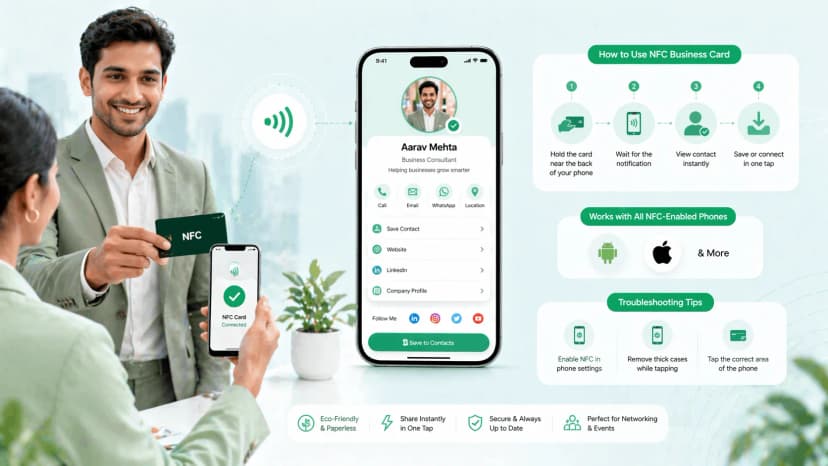
If you're comparing options, this guide covers the best digital business card for doctors in India — including when a digital visiting card for doctors makes sense and how an nfc card for doctors India works at conferences and clinics.
How Doctors Use Digital Visiting Cards in Practice
Here's how doctors use digital visiting cards in practice: they share one tap-or-scan profile with patients, referring doctors and the front desk — carrying booking links, clinic hours and a Google review prompt, all editable in seconds. A cardiologist hands it over on rounds, a clinic keeps it at reception, and a GP sends it on WhatsApp after a referral. When you're ready to set one up, ProfileTap's digital business card for doctors walks through the whole setup.
Why Doctors in India Need a Digital Business Card
The practice of medicine in India is increasingly referral-driven and multi-location. A cardiologist in Chennai may consult at three hospitals and run a private clinic. A general physician in Lucknow may receive referrals from physiotherapists, labs, and pharmacists across the city. Managing all of that with a paper card - or worse, sharing a personal WhatsApp number with every contact - creates privacy risks and information chaos.
Referral management. When a specialist shares a digital profile instead of a paper card, every GP or hospital contact who has that profile sees their current availability, clinic addresses, and booking details. No outdated paper cards, no need to reprint when a clinic location changes.
Patient privacy and yours. Most doctors in India share a personal mobile number because it's the default. A digital profile lets you publish a dedicated professional contact and a WhatsApp business button instead - so patients reach your practice through a professional channel, and your personal number stays off hundreds of patient phones and WhatsApp groups.
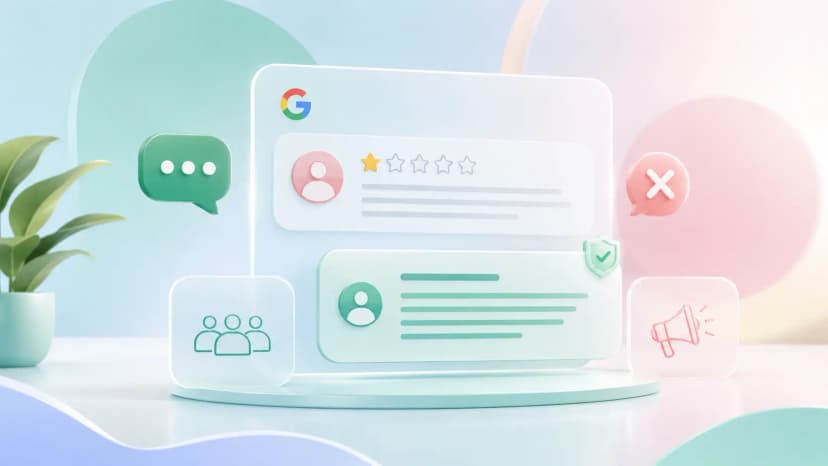
Google reviews. A single star improvement in a Google rating measurably increases new patient bookings. Most doctors know this but struggle to ask patients for reviews consistently. A digital profile with a one-tap review link makes it frictionless - patients scan a QR at reception, tap the review link, and leave a rating in under a minute.
WhatsApp as a professional channel. Indian patients contact doctors via WhatsApp constantly. A digital profile that includes a WhatsApp contact button - separate from your personal number - keeps that channel open and professional without blurring the boundary between work and personal life.
What a Doctor's Digital Business Card Should Include
Not every field on a digital profile matters equally for medical professionals. Here's what belongs on a well-structured doctor's profile.
Essential fields:
- Full name with title (Dr.)
- Medical degree(s) and specialisation
- Registration number (MCI/NMC) - adds credibility and trust
- Clinic or hospital name(s)
- Clinic address(es) with Google Maps link
- Consultation hours per location
- Professional contact number (kept separate from your personal line)
- WhatsApp contact button
- Google review link (direct)
- Booking link (Practo, Docprime, or clinic website)
Optional but high-value:
- Languages spoken (critical in metro cities with migrant populations)
- Hospital affiliations
- Conditions treated or procedures performed
- Patient education resources (links to articles or videos)
- Profile photo in professional attire
A digital profile that includes all the essential fields becomes a miniature professional homepage - accessible from a tap, a scan, or a WhatsApp message forward.
Key Features Doctors Should Look For
When choosing a platform for a digital business card, doctors have specific requirements that go beyond the basics.
Review collection tools. The best platforms make it easy to send patients to your Google Business Profile review page directly from your digital card. ProfileTap's review collection tools help you prompt patients at the right moment - right after a consultation, via a QR code at reception, or through a follow-up link - and track how many reviews you've collected.
Separate professional contact. Your personal mobile number should stay personal. Publish a dedicated professional contact and WhatsApp business button on your profile so patients reach your practice through a professional channel - not your private number. This is especially useful for doctors who see high volumes of patients or run multi-clinic practices.
QR code sharing. A QR code printed on a reception standee, on the back of a prescription sheet, or displayed on a clinic TV screen lets any patient access your profile without needing NFC or a special app. They point their camera, tap the notification, and your profile opens.
Profile analytics. Knowing how many people viewed your profile this month, and from which sharing channel, tells you whether your referral network is active and whether your QR placement at reception is generating engagement. This kind of data is invisible with paper cards.
Multi-location profiles. If you consult at more than one location, your profile should list all of them with accurate hours and contact details for each site. Patients should never have to search for which clinic you're at on which day.
How ProfileTap Works for Doctors: Step by Step
Setting up a professional doctor's profile on ProfileTap takes under 15 minutes. Here's the workflow.
Step 1: Create your profile. Sign up and fill in your name, title, specialisation, and registration number. Add a professional photo.
Step 2: Add clinic information. Add each clinic location with its address, professional contact number, consultation hours, and a Google Maps link. If you consult at multiple locations, add all of them.
Step 3: Add your contact and booking links. Set up your WhatsApp business button, your booking link (Practo or your own site), and your direct Google review link.
Step 4: Choose a theme. ProfileTap's theme library includes clean, professional layouts suitable for healthcare. A well-designed profile creates a stronger first impression than a basic contact page.
Step 5: Share via NFC or QR. Place a QR code standee at your reception desk. Carry an NFC card to conferences and referral meetings. Share your profile link in your email signature and WhatsApp status.
Step 6: Track and collect reviews. Use the analytics dashboard to monitor profile views. Use the review collection tools to send review prompts to patients after consultations. Review count on your Google Business Profile will start growing passively.
Real Scenarios: How Indian Doctors Are Using ProfileTap
Dr. Mehta, Cardiologist, Mumbai. Attends two or three cardiology conferences a year. Used to hand out paper cards that contained only his name and clinic number. Now taps his NFC card to every GP and specialist he meets at events. They open his profile, see both his Bandra clinic and his Nair Hospital consulting hours, and save his WhatsApp business contact directly. Referral volume from conference contacts increased noticeably in the first quarter.
Dr. Singh, General Physician, Delhi. Runs a solo practice in Lajpat Nagar. Added a QR code standee to his reception desk after setting up ProfileTap. Patients scan it while waiting. The profile links directly to his Google review page. He went from fewer than 10 Google reviews to over 60 in three months without asking a single patient directly - the QR placement did the prompting automatically.
Dr. Rao, Dentist, Bangalore. Puts a QR code on the instruction sheet given to patients after procedures. The sheet contains post-procedure care instructions and, at the bottom, a direct link to his Google profile for a review. Patients who had a positive experience leave a review within 24 hours of their appointment. His Google rating moved from 3.9 to 4.6 over six months.
These are not edge cases. They reflect a consistent pattern: the doctors who grow their reputation fastest in Indian metros are the ones who make it effortless for happy patients to refer them and review them.
Try ProfileTap Free
ProfileTap gives doctors in India a professional digital profile with a WhatsApp business button, QR sharing, review collection tools, and analytics - all in one place. Set it up once and let it work at every patient touchpoint.
A well-built digital business card for doctors pays for itself in referrals and reviews within months.
Create your free digital business card for doctors
Related reading: How to Make a Digital Business Card · NFC Business Card vs QR Code